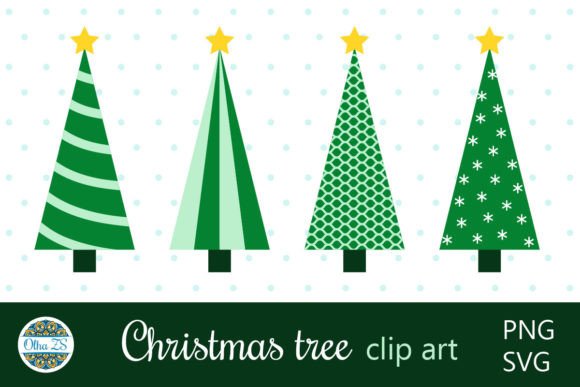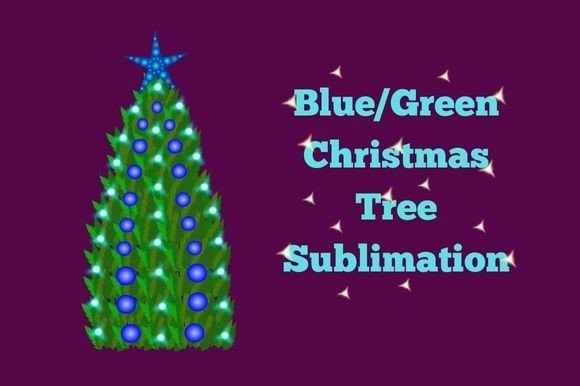
Abstract Christmas Tree
The holiday season is a time of celebration, but for designers, marketers, and small business owners, it is also a period of intense creative pressure. When you need to convey warmth, festivity, and modern elegance quickly, the Abstract Christmas Tree has become an indispensable asset. Unlike traditional, photorealistic depictions of pine trees adorned with tinsel, abstract interpretations offer a sophisticated visual language that resonates with contemporary audiences. Whether you are designing a winter holiday card, a social media campaign, or a corporate newsletter, understanding how to leverage these assets correctly can elevate your brand’s seasonal presence.
However, simply downloading a graphic is not enough. Many creators fall into the trap of assuming that any festive image will suffice, often overlooking critical technical details like file formats and resolution. This oversight can lead to pixelated prints, sluggish web performance, or inconsistent branding across platforms. To help you avoid these common pitfalls, we need to look closely at what makes high-quality abstract vector art valuable and how to integrate it effectively into your projects.
Understanding the Value of Abstract Vector Art
At its core, an abstract Christmas tree design strips away the clutter of realism to focus on shape, color, and composition. This minimalist approach allows for greater versatility. You can easily recolor the tree to match your brand palette, scale it up for a billboard without losing quality, or deconstruct it for use in pattern designs. The key advantage lies in the format. High-quality resources typically provide both High resolution JPG images for immediate web use and Editable EPS vector files for professional printing and customization.
Many beginners mistakenly treat all digital images as equal. They download a beautiful JPEG and try to stretch it for a large banner, only to find jagged edges and blurry textures. This is where the distinction between raster and vector graphics becomes crucial. An EPS file contains mathematical instructions that define the lines and curves of the design, allowing it to be resized infinitely while maintaining crisp edges. If you are working with clients who require print-ready materials, relying solely on low-resolution JPEGs is a costly mistake.
Common Mistakes in Choosing and Using Holiday Graphics
Even experienced designers can make errors when sourcing and applying seasonal assets. Being aware of these potential traps can save you hours of rework and prevent embarrassing presentation issues.
- Ignoring File Format Compatibility: One of the most frequent errors is attempting to open an EPS file in software that does not support vectors, such as basic photo editors or some mobile apps. Conversely, using a JPEG for a project that requires transparency results in unsightly white boxes around your design. Always verify which software you are using before starting your project.
- Neglecting Color Profiles: Digital screens use RGB (Red, Green, Blue) color models, while printers use CMYK (Cyan, Magenta, Yellow, Key/Black). A vibrant neon green that looks stunning on your monitor may appear dull and muddy when printed. Failing to convert your abstract tree design from RGB to CMYK before sending it to a printer can lead to significant color discrepancies.
- Overcrowding the Composition: The beauty of abstract art lies in its simplicity. A common mistake is adding too many decorative elements—snowflakes, ribbons, text—around the central tree motif. This creates visual noise that distracts from the message. Less is often more, especially in digital advertising where attention spans are short.
- Assuming All "Free" Resources Are Safe: While budget constraints are real, downloading assets from unverified sources can expose your business to copyright infringement lawsuits. Additionally, free vector files are often poorly constructed, with excessive anchor points that make editing difficult or impossible. Investing in premium, well-structured assets is usually a better long-term strategy.
How These Errors Impact Your Results
The consequences of these mistakes extend beyond mere aesthetics. In a professional context, quality directly impacts credibility. A pixelated logo or a misaligned graphic suggests a lack of attention to detail, which can undermine trust in your brand. For educators and bloggers, poor-quality visuals can increase page load times, negatively affecting user experience and search engine rankings.
Furthermore, inefficient workflows caused by incompatible files waste valuable time. Imagine spending three hours designing a holiday campaign, only to realize at the last minute that the main graphic cannot be edited because it was flattened into a PNG. This inefficiency adds stress during an already busy season. By choosing the right tools upfront, you streamline your process and ensure consistency across all touchpoints.
Practical Advice for Better Outcomes
To maximize the utility of your Abstract Christmas Tree assets, adopt a systematic approach to selection and application. Start by defining the end goal of your project. Are you creating a web banner, a printed postcard, or a video overlay? Your answer will dictate the required file formats and resolutions.
When evaluating a resource pack, check for the inclusion of both 2 Editable EPS vector files and 2 High resolution JPG images. This combination offers the best of both worlds: scalability for print and convenience for digital. Before purchasing or downloading, inspect the vector structure if possible. Look for clean paths and organized layers. A well-organized file will have separate groups for the tree, snowflakes, and background, making it easy to isolate specific elements.
Consider the context of your audience. For a tech-savvy demographic, sleek, geometric abstractions work well. For a more traditional audience, softer, organic shapes might be more appealing. Use the editable nature of the EPS files to tweak these elements. You might reduce the complexity of the snowflake decorations to create a cleaner look, or adjust the opacity of the tree branches to add depth.
What to Check Before Finalizing Your Design
Before hitting publish or send, run through a final checklist. Ensure that all text remains legible against the abstract background. Test the design on multiple devices to confirm that scaling behaves as expected. Verify that the color mode matches the output medium. Finally, double-check licensing rights to ensure you are compliant with usage terms, particularly if you are using the assets for commercial purposes.
By approaching your holiday design projects with this level of care and technical awareness, you transform simple graphics into powerful communication tools. The Abstract Christmas Tree is more than just a decoration; it is a flexible design element that, when used correctly, can enhance your brand’s seasonal storytelling. Avoid the common traps, prioritize quality and versatility, and you will create materials that not only look good but also perform effectively in achieving your goals.